

Striking the right balance between security and usability


Security measures, by nature, are designed to restrict unauthorized access and reduce risks. However, when security controls become too complex or intrusive, they can frustrate users, leading to workarounds that introduce new vulnerabilities.
On the other hand, prioritizing usability without robust security controls increases the risk of data breaches, phishing attacks, and insider threats.
For example, requiring employees to change passwords frequently may seem like a strong security practice, but if passwords are too complex, users might resort to writing them down or reusing them across multiple platforms, ultimately weakening security.
Why finding the right balance matters
Achieving a balance between security and usability is essential for several reasons:
Enhanced user experience – A well-designed security system should integrate seamlessly into workflows without disrupting user efficiency.
Reduced risk of human error – When security measures are too complicated, users may inadvertently bypass them, leading to potential security gaps.
Regulatory compliance – Industries governed by regulations such as GDPR, HIPAA, and PCI-DSS must implement security controls while ensuring that compliance efforts do not impede productivity.
Improved productivity – Overly restrictive security policies can slow down operations and cause frustration, reducing overall organizational efficiency.
Key strategies for balancing security and usability
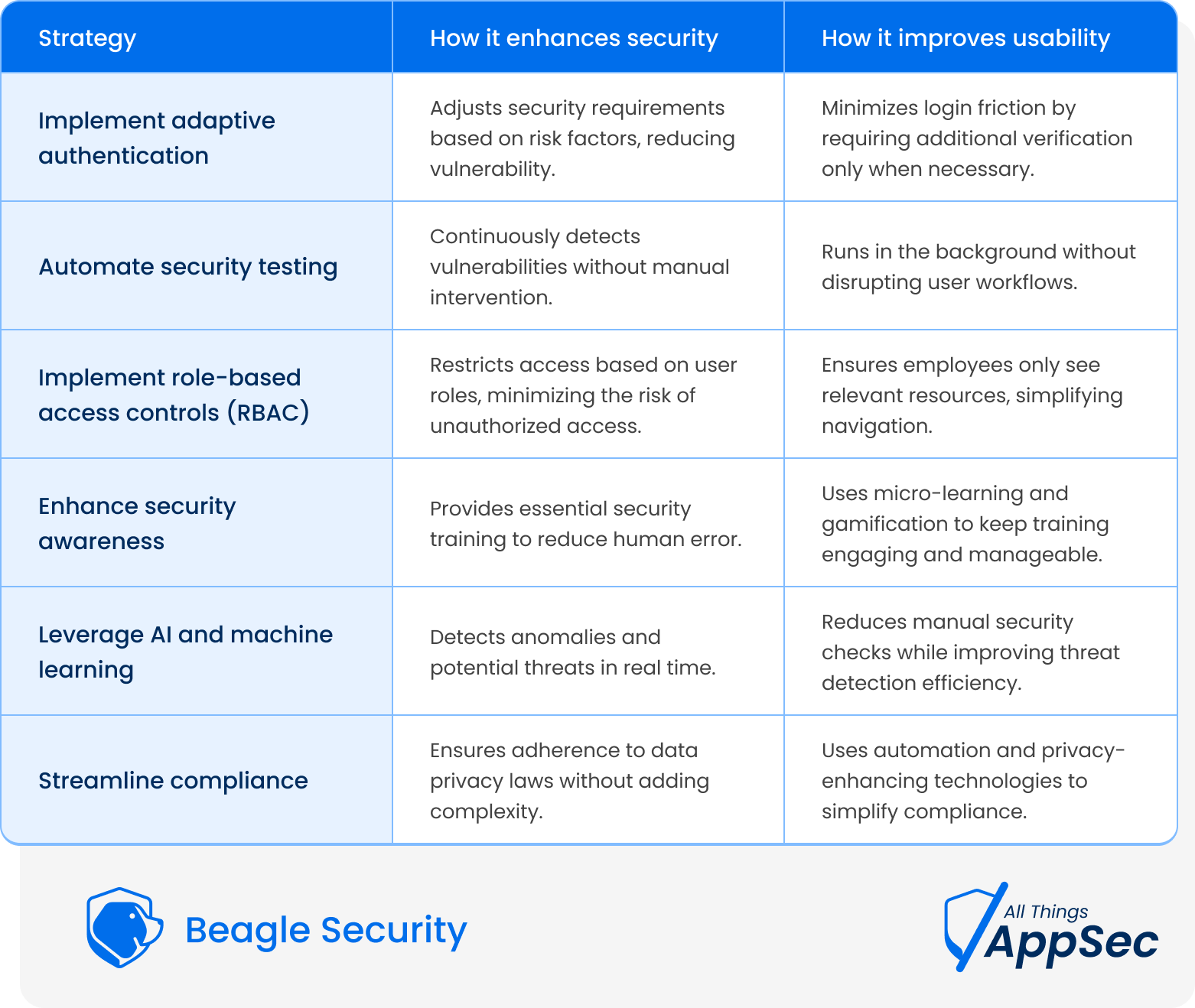
1. Implement adaptive authentication
Traditional authentication methods, such as complex passwords, can be cumbersome for users while still being vulnerable to attacks. A better approach is to use adaptive authentication, which adjusts security requirements based on risk factors.
Solution: Implement multi-factor authentication (MFA) with contextual analysis. For example, if an employee logs in from a trusted device and location, they may only need a password. But if they attempt access from an unfamiliar device or location, an additional authentication factor (e.g., biometric verification or a one-time passcode) can be required.
2. Automate security testing without disrupting user workflows
Manually assessing security vulnerabilities can be time-consuming and resource-intensive, leading to delays in user access and performance issues. Automation ensures that security testing is continuous without impacting usability.
Solution: Use automated penetration testing tools that run in the background to identify vulnerabilities without affecting system performance. Automated testing helps organizations detect security flaws proactively while keeping applications running smoothly.
3. Implement role-based access controls (RBAC)
Restricting access based on user roles enhances security while maintaining usability. Instead of applying blanket security policies across all users, RBAC ensures that individuals only have access to the resources necessary for their roles.
Solution: Implement least privilege access policies to minimize the risk of unauthorized access. For example, a marketing executive doesn’t need access to financial records, and a developer shouldn’t have administrative rights unless required.
4. Enhance security awareness without overburdening users
Security awareness training is critical, but if employees are overloaded with complex security guidelines, they may become disengaged.
Solution: Implement micro-learning modules that provide concise, actionable security guidance rather than lengthy compliance documents. Gamified security training can also improve engagement and knowledge retention.
5. Leverage AI and machine learning for smart security controls
Artificial Intelligence (AI) and Machine Learning (ML) can help organizations detect and respond to security threats while minimizing disruptions to legitimate users.
Solution: Deploy AI-powered security monitoring tools that analyze user behavior and detect anomalies without requiring constant manual intervention. For instance, if an employee suddenly attempts to download a large volume of sensitive data, an AI-driven system can flag the activity and prompt additional verification.
6. Streamline compliance without compromising usability
Many businesses struggle to comply with data privacy laws without making systems cumbersome for users.
Solution: Integrate privacy-enhancing technologies (PETs), such as end-to-end encryption, automated compliance checks, and data anonymization, to ensure security and regulatory compliance without making systems overly restrictive.
How Beagle Security helps
Automated security testing – Identifies vulnerabilities without requiring manual intervention.
Risk-based prioritization – Helps businesses focus on fixing the most critical security gaps first.
User-friendly reporting – Provides actionable insights that both security teams and non-technical stakeholders can understand.
Compliance support – Ensures businesses meet security standards without imposing unnecessary restrictions on users.
Wrapping up
Striking the right balance between security and usability is a continuous effort that requires careful planning and smart implementation. Businesses should prioritize adaptive security controls, automation, and user-friendly policies to minimize risks without compromising user experience.
As cyber threats evolve, organizations that successfully align security with usability will stay ahead, fostering a safe and seamless digital environment for all stakeholders.